2022 - 2023
UX Workshop
UX/UI Design
Prototyping

The goal of the project is to transform this software, originally developed for Windows in the early 90s, into a web application. Over the past 30 years, numerous features have been added, progressively compromising its usability. As a result, we have decided to completely redesign the interface to address the many UX issues that have emerged. This process began with an analysis of user profiles and the as-is user flows.
One of the most significant insights from the analysis is that the tool is used differently by users with varying roles, and each production environment presents unique use cases. For this reason, we aimed to enhance the application's versatility by adopting solutions such as a navigation system that facilitates access to sections related to specific tasks, improved customization of views, and the ability to create shortcuts tailored to individual workflows.
Most operations in the software involve working with tables of elements that often have a hierarchical relationship with other items. In the current interface, the details of each element are always visible and accessible via a tab bar, as are the underlying hierarchical elements, though their relationship is not made explicit. To reduce cognitive load and clarify the relationship between table elements, we introduced a drawer that reveals details on demand and allows users to navigate from general to specific elements in a structured way.
The lists of elements managed by users are often very long, sometimes including tens of thousands of items.
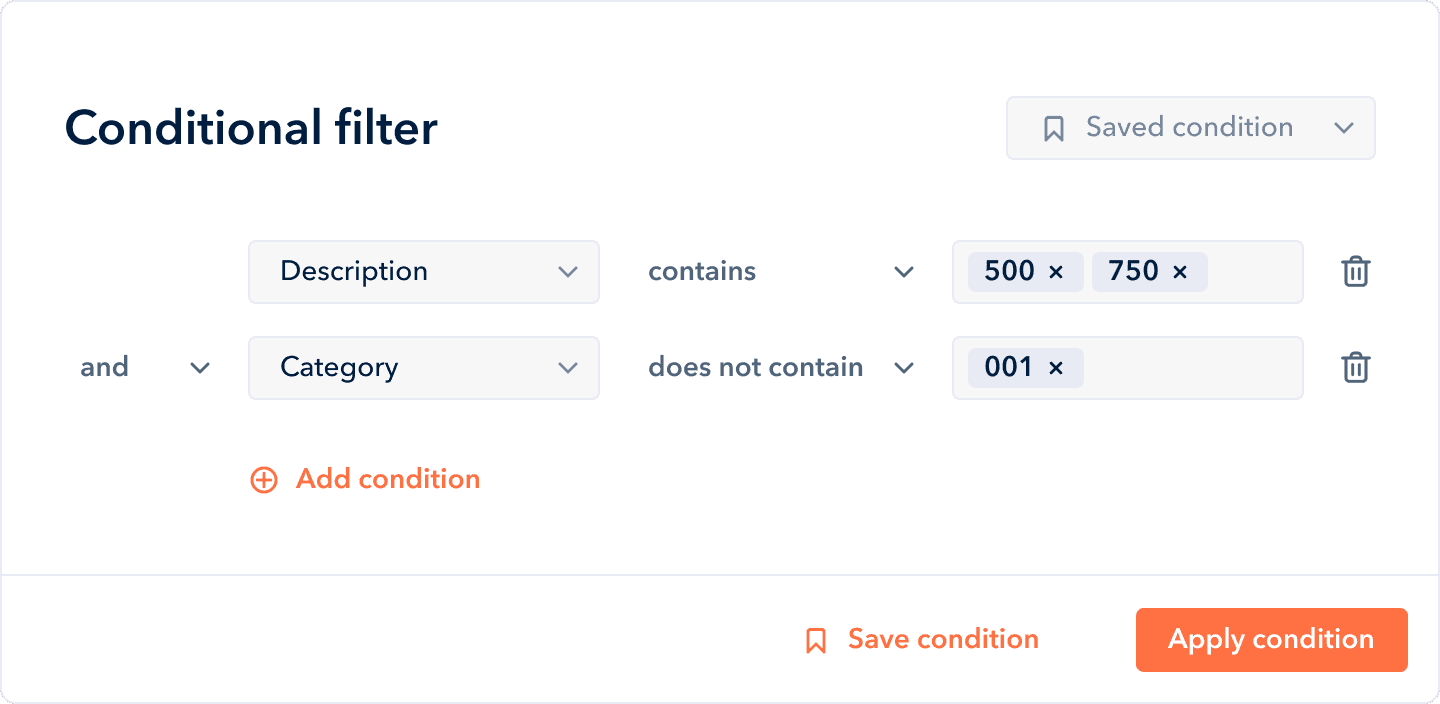
To address this, we implemented multiple search and filtering systems operating at different levels: global, single list, and individual attribute. Additionally, we introduced an advanced filtering system that allows users to combine multiple criteria and reference attributes from related elements.